


Next: Querying Sub-Images
Up: Similarity Queries
Previous: Similarity Queries
Users can specify the similarity threshold and
specify the precision level by choosing the corresponding
grid partitions: 1 X 1, 2 X 2, 4 X 4, and
8 X 8.
The similarity search algorithm is defined as a
distance between two sub-images and is used to define different
similarity metrics. For example, in a 4-level decomposition, two images
can be similar if:
- at level 1, the color histograms of the entire images are
compared: 1 color histogram comparison;
- at level 2, the color
histograms corresponding to the same 4 quadrants (1/4 of the
entire image) are compared: 4 color histogram comparisons;
- at level 3, the color histograms corresponding to the same 16
quadrants (1/16 of the entire image) are compared: 16 color
histogram comparisons;
- at level 4, the color histograms corresponding to the same 64
quadrants (1/64 of the entire image) are compared: 64 color
histogram comparisons.
Figure  shows a similarity
query at similarity level 3. Part of the result is given by
Figure with the similarity
values.
The colors in the images are organized in a hash-like index structure for
color similarity searches. The entire image is divided into 4 quadrants, and
each quadrant is
recursively divided into 4, and so on. Each image is then represented
by a quadtree that stores the color histograms corresponding to the
quadrants. The dimensions of the color histograms are then reduced
and the result is stored in a multidimensional hash structure for a filtering
step in similarity searches before using the color histograms themselves for a
refinement step.
Next: Querying Sub-Images
Up: Similarity Queries
Previous: Similarity Queries
Vincent Oria
2001-01-27
 shows a similarity
query at similarity level 3. Part of the result is given by
Figure
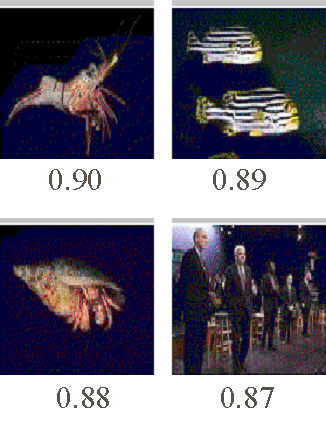 with the similarity
values.