

|
|
| [Prev] | [Up] |
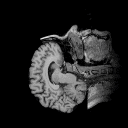
The RasQL command for server-based conversion is SELECT format( mdd-object ). Converting a projection of the tomogram scan from the dimensions example into TIFF format is therefore done with the query
SELECT tiff( a[*:*, *:*, 70] )
FROM   tomo_cubed AS a
The encoded data is treated as a 1D object (i.e. a bytestream) by server and clients which facilitates their handling enormously. In order to be able to identify these objects when the need arises, MDD objects are flagged as "Array" or "export-fmt". Saving the MDD-embedded, encoded data to disk is a simple matter of saving the actual MDD data. The following image is a thumbnail of the above query's result, but converted to GIF in order to conform to WWW standards. Click on it to download the original TIFF file.
| [Prev] | [Up] |
05-Mar-1998